FutureHax Main Net
The main FutureHax network exists at 192.168.86.0/24. This network is backed by the OG Google Wifi system, with a router node connected to the modem and other mesh nodes setup with wired ethernet switches as needed. Along with this switches giving wired devices such as the various "smart home" hubs from hue, sonos, etc, one node is attached to a seperate router powering the FutureHax Cluster Network.
DHCP
The main FutureHax network is the default network, and hosts everything from Sonos to the Pixel Tablet. Since the Google Wifi is rather limited in its advanced functionality, it is not possible to set an upstream dhcp server directly. The work around is simple enough however, which enables us to utilize the Pihole as the dhcp server for the vast majority of devices on the network.
To work around this limitation, the desired dhcp server must be setup to provide itself a static IP address. An example of this may look like
marvin@pihole-mainv6:~$ cat /etc/netplan/10-lxc.yaml
network:
  version: 2
  ethernets:
    eth0:
      dhcp4: true
      dhcp-identifier: mac
    eth1:
      dhcp4: false
      addresses: [192.168.86.XXX/24]
      gateway: 192.168.86.1
      nameservers:
        addresses: [8.8.8.8]
Once the dhcp server has its static IP assigned, the Google Wifi network needs to be adjusted.
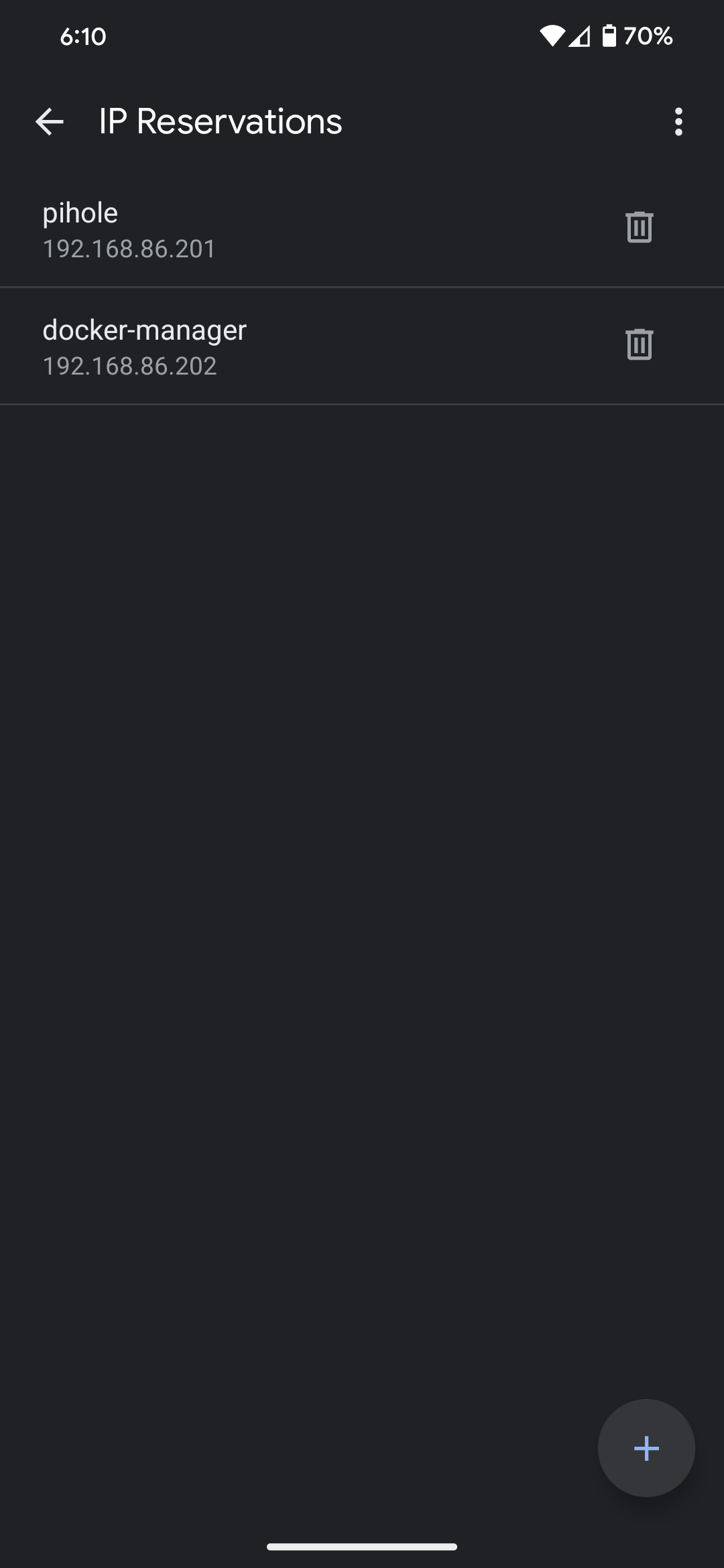
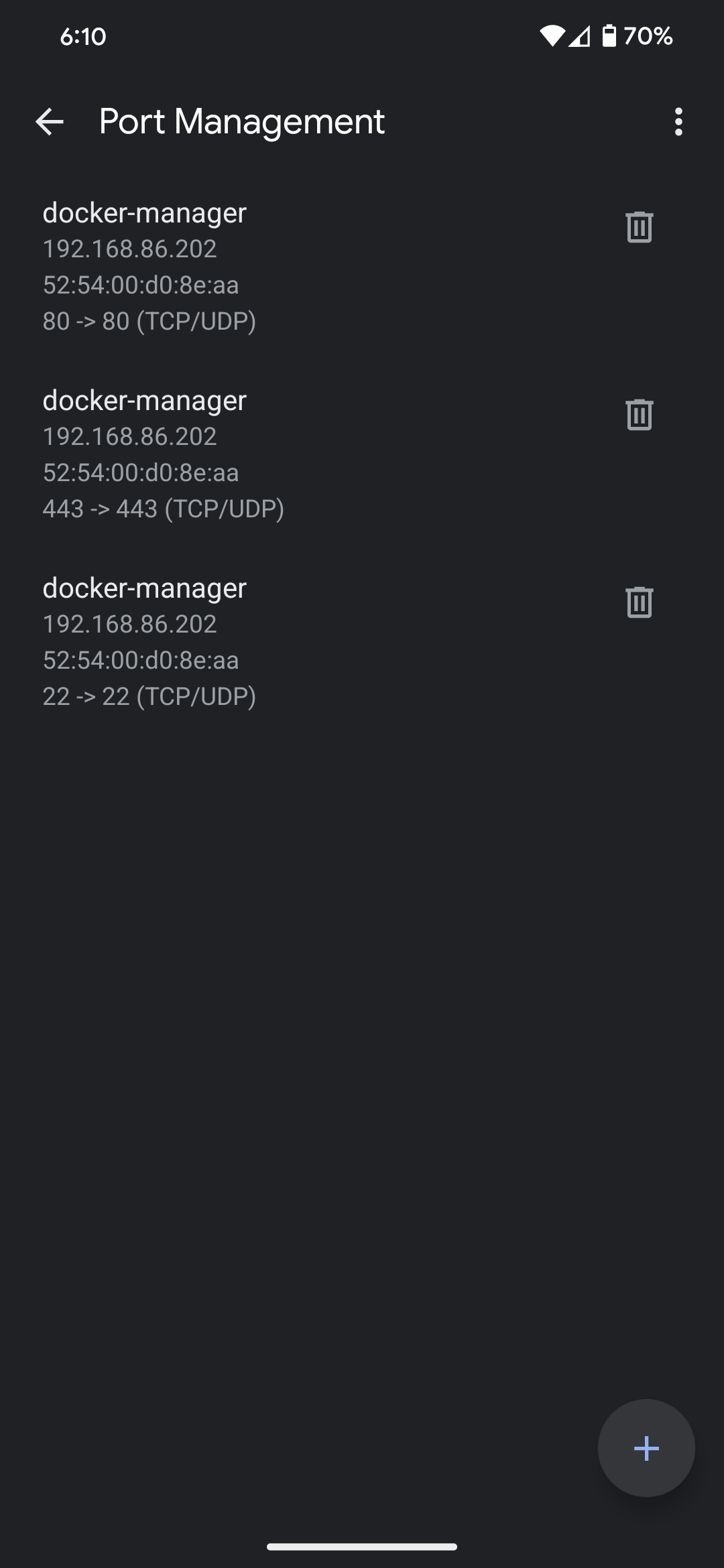
Its best to set a static IP reservation for the dhcp server you are setting up, along with any devices that will need port forwarding. Keep things simple by making sure these ip address are sequential, and either towards the upper or lower allowable range. At this point its easiest to setup any other port forwarding rules as well.
Google WiFi IP Reservations Screenshot
Google WiFi Port Forwarding Screenshot
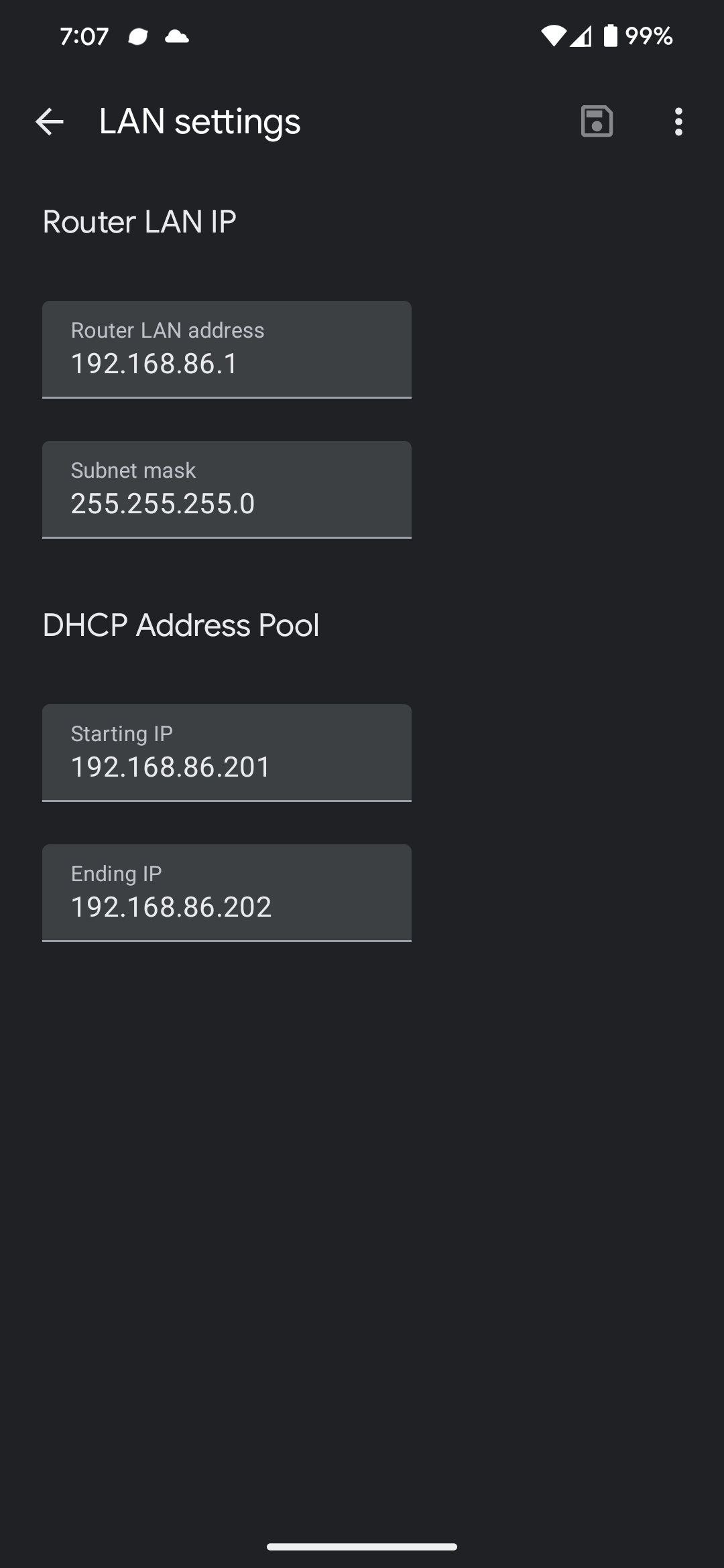
From here, the range of dhcp addresses permitted to be assigned by the Google Wifi needs to be limited to the range of devices that you have configured to have static IPs.
Google WiFi LAN Settings Screenshot
DNS
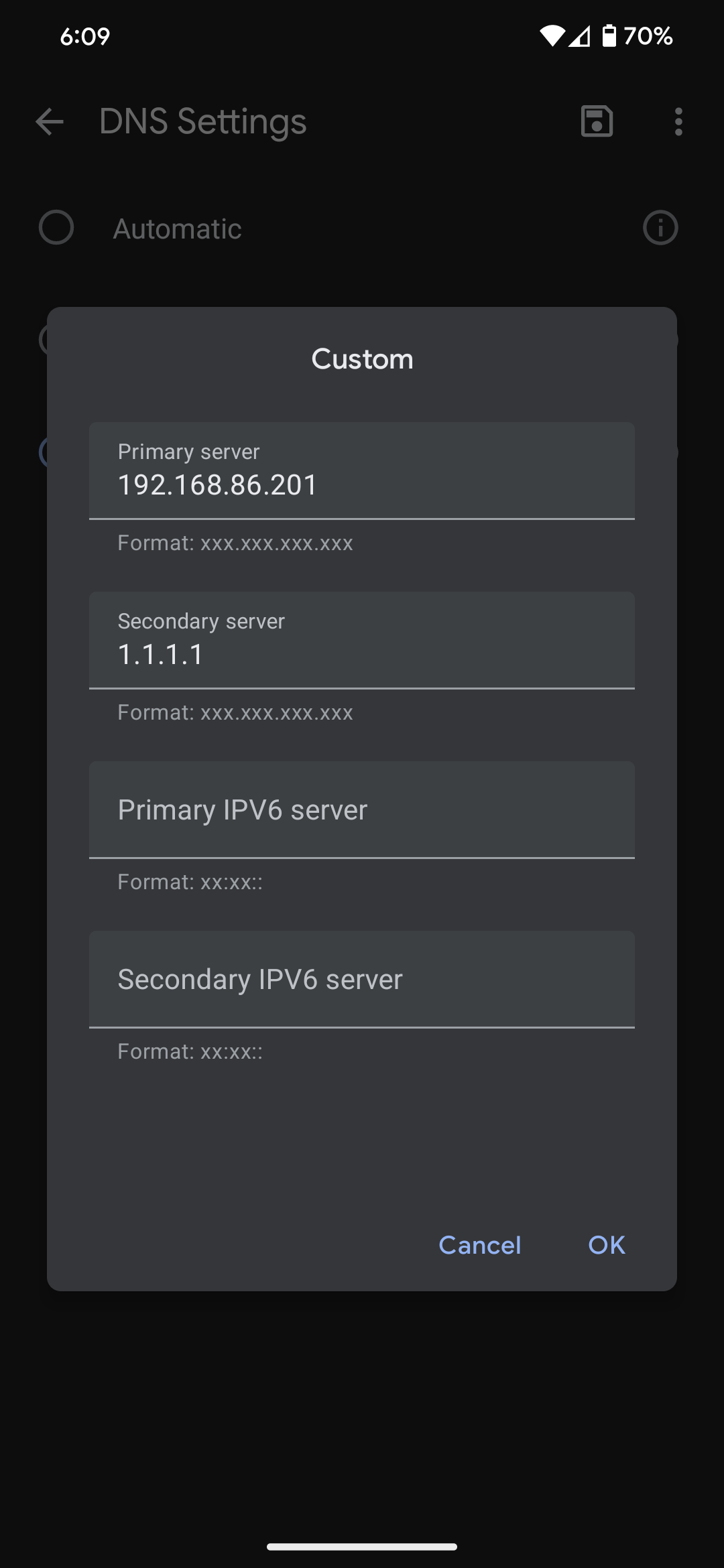
Once IP and port configuration is complete, the DNS server needs to be updated. Set the "Primary Server" to your Pihole server, and provide a secondary backup server.
Google WiFi DNS Settings Screenshot